DeskPet
A downloadable Desktop Pet for Windows and Linux
A free and open-source Desktop Pet app for Linux!
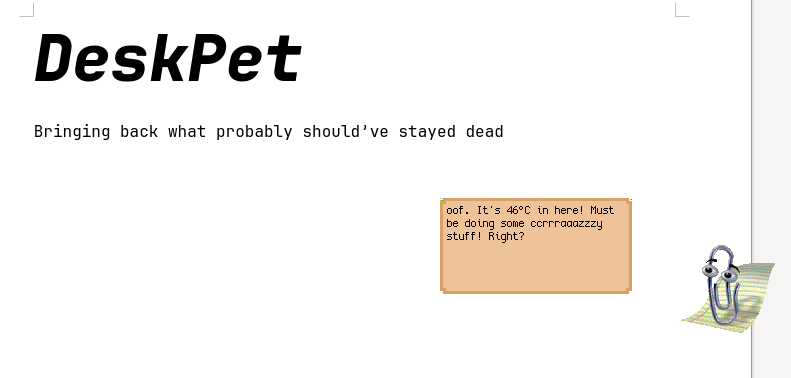
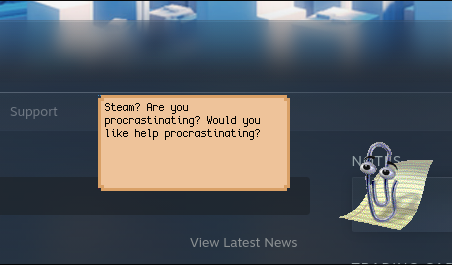
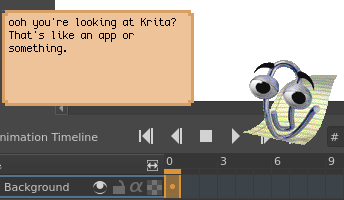
This started as a cursed joke while I was bored and sick, but it ended up becoming a working app somehow.
Almost anything is possible with this app, but currently it's more of a DIY pet creator. You will have to make/find a script for more than just basic demos.
Because this app is getting way more downloads than I expected, I'm looking into making the 'demo' pet less of a mess. Please suggest any ideas or features I should add to base DeskPet!
Features:
- Native wayland support (intended for hyprland)
- Uses almost no resources! (less than 1% of CPU, and 18MB of ram minus driver stuff)
- Has keyboard support! This allows you to turn your Pet into an interactive tool.
- absolutely everything can be replaced and customized! Animations are spritesheets, the pet itself is a script you can easily modify to do anything you want. You can even write code in other languages!
- If you want to add a feature, you can do it with commands! An example is the provided keyboard support, but others can be API integrations and audio support.
- Everything is fully transparent! This is not a fake window, and this does not grab your input randomly. Your pet can be double-clicked to fade slightly and show your screen.
Modding DeskPet
DeskPet is designed to be modded, so you can design pets that work for whatever use-case you need.Everything you see in DeskPet is exposed as an asset so you can swap it out for something else. This means that the:
- Pet Sprite
- Animation Spritesheets/Animation Behaviours
- Message Box Texture
- Message Font + Message Popup Action
Are all able to be changed. And the pet's behaviour is a small collection of scripts that let you handle everything across different systems and events.
A basic dialog system is as simple as:
echo "_0001" # play animation with ID 1
<br><br>
sleep 0.005 # A couple milliseconds have to pass before another message, otherwise the output is overwritten.
<br><br>
echo "Hi!"
<br><br>
# listen for key presses, and execute on press/key hold
while inotifywait -q -q -e modify /tmp/deskpet_lastkey; do
    <br><br>
    # save our key
<br><br>
    output=$(cat /tmp/deskpet_lastkey)
<br><br>
    sleep 0.005;
<br><br>
# Key names (excluding special keys) are given in caps. You can listen for when shift as a key is pressed to get working capitalization.
<br><br>
    if [ "$output" = "X" ]; then
<br><br>
          echo "Bye!"
<br><br>
          sleep 0.005
<br><br>
          echo "_0002" # Play animation with id 2
<br><br>
    fi
<br><br>
done
If you want to take in whole-word responses from the user, you can have a look at the keyboard demo script for a super basic implementation.
More technical information about making Pets is on my GitLab.
And since this is my first project written in C, I should mention:
- Doesn't leak memory!
Important to note: The demo scripts act more as a general idea board, and aren't what I consider to be full programs themselves. I might share some of my own later on though!
Sharing DeskPet Mods
You fully own ANYTHING you make with/for DeskPet, so don't worry about sharing it anywhere, even on itch.io!To share a DeskPet, just make a folder named 'deskpet' with all files of your pet in the same format as the demo files. Then, make that into a compressed folder and upload it!
When redistributing anything from DeskPet, you must comply with its license. This means giving a notice and link back to the source code of DeskPet. Most mods for DeskPet probably don't have to worry about this at all.
You are free to redistribute DeskPet mods that include the entire app, but I would not recommend doing this unless it involves changing DeskPet to the point where it's basically a entirely new thing (i.e. an android widget port), as then users won't be missing out on otherwise-compatible important updates.
Windows:
DeskPet is now on native Windows! This is a *testing* build, and mimics the Linux version almost identically in behaviour. However, you need to read the README.txt file before using this.
This might work on Windows 7, and could theoretically even run on Windows XP.
Mac OS
There is actually a very high chance this app works almost fully on MacOS (barring some commands not existing), but I don't have a Mac/CI to compile this on. If you're curious about testing this, try running 'make build_release' on the source code with SDL installed.
Accessibility Features:
Alongside the listed accessibility features, there is also the ability to magnify your pet by 2X in the config. Please note that every pet will behave differently, with some requiring no input at all, and others potentially needing constant keyboard interaction. Some may also implement extra features (i.e. voice support) themselves.
If you want to show anything off, or just ask for help, feel free to make a post! I'll try and give some basic script advice if needed.
Download
Install instructions
Requirements (Linux Packages):
You'll need to have SDL3 installed. On distros that use apt (Debian, Ubuntu, etc), these should be available up-to-date and installed with something like:
`sudo apt install libsdl3 libsdl3-image libsdl3-ttf libinotify-tools`<br><br>
(^ some distros may name these differently)
On Arch:
<p>`sudo pacman -S sdl3 sdl3_image sdl3_ttf inotify-tools`</p>
For the arm64 builds of DeskPet, I can't guarantee complete compatibility for all scripts and features. These releases come from automated builds, so they may ahead/behind regular DeskPet releases.
The 'custom script' demo is based around integrating another language, and therefore requires python to run.